
Sydney Health
Elevance Health, Inc.Medical
4.77.57K Reviews
- Version
- 10.8.1
- Installs
- 5.00M
- Age Rating
- Everyone
Screenshots

Our Review of Sydney Health
 Analysis by Appyee
I find the most useful way to think about Sydney Health is as a mobile front door to health-plan tasks, rather than a replacement for a doctor or a complete medical record. That distinction matters: its appeal is having insurance-related information and health tools together, while its usefulness still depends on what your plan makes available and how you prefer to handle care.
The practical value of one health-plan hub
For many people, health administration is scattered across an insurance card, paper statements, provider portals, and memory. Sydney Health, a free medical app from Elevance Health, Inc., is intended for Anthem, Wellpoint, and other health insurance plans. Its 4.6 average from around 80,000 ratings and more than a million installs suggest it has reached a broad audience, though those figures alone cannot tell you whether it fits your particular plan or routine.
The central advantage is convenience: instead of treating benefits, claims, and deductible details as separate errands, you can look for them in one place. That is most valuable when you need a quick answer before making a call or arranging care. I would still treat the app as a way to find and review information, not as a reason to skip checking a confusing bill or confirming an important coverage detail with the plan.
That distinction also helps set expectations. An insurance app is different from a general wellness tracker: a step counter can focus on daily activity, while this app’s more distinctive role is connecting health-plan administration with care-related tools. If your main goal is to log workouts or food, a dedicated tracker may suit you better. If you want a convenient starting point for plan information, Sydney Health has a clearer purpose.
Putting the app to work in everyday life
When I first opened Sydney Health, I was pleasantly surprised by its clean and intuitive interface. Honestly, it felt like the developers really thought about making it user-friendly. You know when an app just feels right? This is one of those.
Features That Stand Out
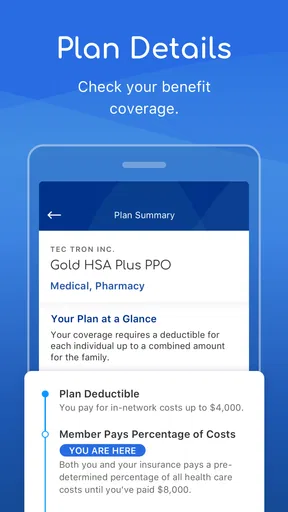
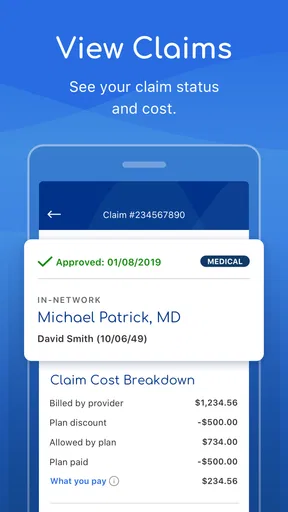
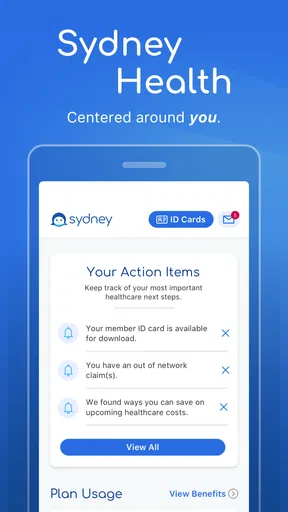
One of the coolest features is the personalized dashboard. It’s like having a mini health assistant in your pocket. You can see your benefits, track claims, and even check your deductible status all in one place. Seriously, no more rummaging through papers or trying to remember logins for different portals.
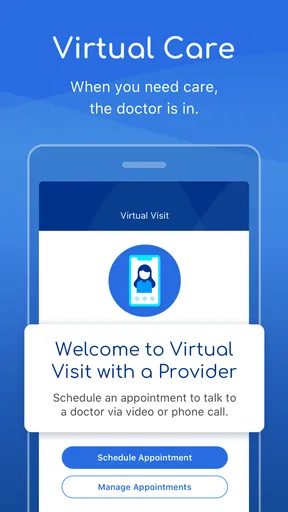
Oh, and the virtual care option? Total game-changer. With just a few taps, you can connect with a healthcare professional without leaving your couch. Perfect for those lazy Sundays or when you’re feeling under the weather.
A useful routine, not another daily chore
The app’s ability to track your health and wellness goals is another highlight. Whether you’re aiming to drink more water or get those steps in, the app has got your back. It even sends gentle nudges to keep you on track. Who doesn’t need a little reminder now and then, right?
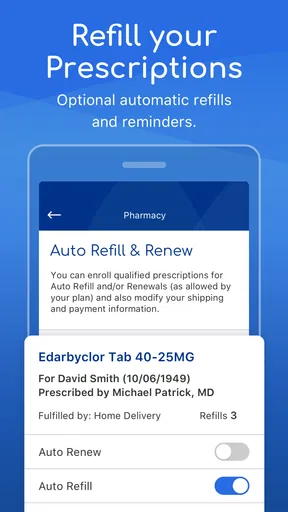
Also, if you’re the type who loves having all your prescriptions and medical history in one spot, you’ll appreciate the app’s records feature. It’s like having your own personal medical journal, minus the clutter.
A practical way to get more from a health-plan dashboard is to open it before you need it. I would take a quiet moment to review the benefits and claims area, then note any terms or amounts I want to clarify. That small bit of preparation can make a later call to the insurer more focused: rather than asking where everything is, you can ask about the particular claim or benefit that needs attention.
For example, imagine you receive a claim notice while planning a routine appointment. You could check the claim and deductible information in the app first, then contact the plan or provider if something still seems unclear. That is a useful division of labor: the app helps you find the relevant information quickly, while a person can explain a complicated coverage question. I would not assume that a displayed claim amount automatically tells the whole story of what you will owe.
The virtual-care option can also be helpful when convenience is the main concern, such as wanting to explore remote care instead of starting with a trip across town. I would use it as a route to connect with a professional, not as a promise that every concern can be handled remotely. For urgent symptoms or an emergency, an app is not a substitute for immediate medical help.
Where a little patience helps
Now, while I’m all about the convenience, there are a couple of things to keep in mind. Sometimes, the app can be a bit slow, especially when there’s a lot of data to load. It’s not a deal-breaker, but something to be aware of.
Also, if you’re someone who’s not super tech-savvy, there might be a slight learning curve. But hey, once you’re over that hump, it’s smooth sailing.
There is another trade-off built into this kind of app: a single dashboard can make information easier to find, but it does not make health insurance itself simple. Benefits and claims can still need interpretation, and the app is most useful when you already know what you are trying to check. If you are comparing plans, making a detailed budgeting decision, or resolving a disputed bill, use it as a starting point and keep the relevant paperwork or direct support available.
It is also worth separating the app’s different jobs. Wellness reminders can support a personal routine, but they are not the same as medical advice; records can help keep information handy, but they should not be treated as a complete substitute for a clinician’s chart. I would keep important details accessible through the care team or provider as well, especially when sharing medication or history information during an appointment.
For a smoother first session, I would begin with the basics rather than trying every section at once: sign in, find the plan information you are most likely to need, and check where claims or benefits appear. Then explore wellness tools only if they fit your habits. This avoids turning setup into a long project and makes it easier to notice whether the app’s central insurance functions are actually useful for you.
Who is likely to get the most from it?
Overall, I’ve really enjoyed using the Sydney Health app. It’s like having a little health guardian angel on my phone, making sure I’m on top of everything from appointments to wellness goals. If you’re looking for a way to streamline your health management, I’d definitely recommend giving it a try.
I would especially consider it if your health plan is supported and you regularly need to check benefits, follow claims, or keep plan details close at hand. It may also suit someone who likes having wellness prompts alongside insurance tools, provided those reminders feel helpful rather than distracting. The app is free, rated for Everyone, and its current version is 9.8.0; it requires iOS 12 or later, so people using an older iPhone should check compatibility before planning to rely on it.
On the other hand, I would skip it if you do not use a supported plan, want a universal health-record system independent of insurance, or mainly need a specialist fitness or nutrition tracker. A provider’s own portal may be a better fit when your priority is appointment-specific information, while direct contact with the insurer remains sensible for nuanced coverage questions. Sydney Health is at its best when it reduces routine searching, not when you expect it to answer every health or billing question by itself.
So, what are you waiting for? Check out the app and see for yourself how it can make your life a little easier. After all, who doesn’t want to spend less time worrying about health plans and more time living?
Privacy and Permissions
See what permissions an app requests and how it handles your data.
- Contacts
- read your contacts, modify your contacts
- Location
- approximate location (network-based), precise location (GPS and network-based)
- Phone
- read phone status and identity
- Photos/Media/Files
- read the contents of your USB storage, modify or delete the contents of your USB storage
- Storage
- read the contents of your USB storage, modify or delete the contents of your USB storage
- Camera
- take pictures and videos
- Microphone
- record audio
- Wi-Fi connection information
- view Wi-Fi connections
- Device ID & call information
- read phone status and identity
- Other
- view network connections, pair with Bluetooth devices, change network connectivity, full network access, run at startup, control vibration, prevent device from sleeping
Verdict
Strengths of Sydney Health
- User-friendly interface for easy navigation.
- Comprehensive health tracking features.
- Seamless integration with health devices.
- Offers personalized wellness tips.
- Provides quick access to medical records.
Limitations of Sydney Health
- Limited functionality without internet access.
- May require frequent app updates.
- Some features locked behind a paywall.
- Occasional syncing issues with devices.
- Privacy concerns with data sharing.
Similar Picks in This Category
View All
WebMD: Symptom Checker
WebMD, LLC4.1

Microphone Amplifier
DOSA Apps4.2

Anatomy Learning - 3D Anatomy
3D Medical OU4.5

Period Tracker and Calendar
SimpleInnovation4.9

GoodRx: Prescription Coupons
GoodRx4.8

CVS Health
CVS Pharmacy4.5
Frequently Asked Questions
What is Sydney Health and what features does it offer?
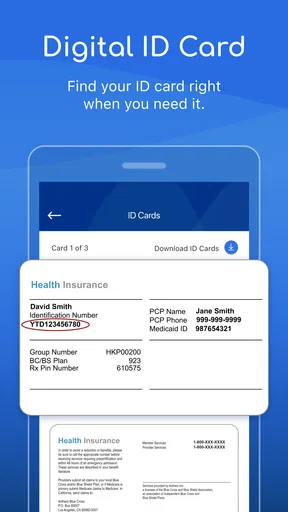
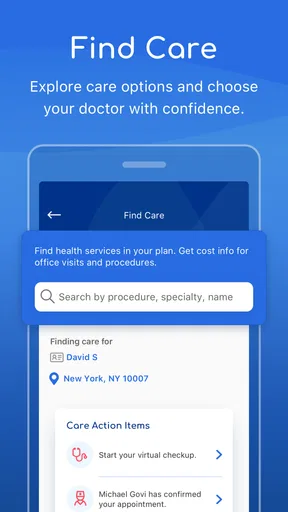
Sydney Health is a comprehensive health management app designed to help users manage their healthcare needs more efficiently. It offers features like symptom checkers, appointment scheduling, telehealth services, and personalized health reminders. The app also provides access to digital ID cards, claims tracking, and wellness programs, making it a versatile tool for health management.
Is Sydney Health compatible with both Android and iOS devices?
Yes, Sydney Health is available on both Android and iOS platforms. The app is designed to work seamlessly across various devices, ensuring that users can access their health information and services from virtually anywhere. Always check the app store on your device for the latest version to ensure compatibility.
Does Sydney Health offer any privacy and security features?
Sydney Health is committed to protecting user privacy and security. The app uses advanced encryption methods to secure personal and health data. Users can also set up biometric logins, such as fingerprint or facial recognition, for added security. Privacy policies are transparent, and users can manage their data sharing preferences within the app.
Are there any costs associated with using Sydney Health?
Sydney Health is free to download and use; however, some features may require a subscription or incur costs, especially if linked to specific health plans or services. It's important to review any potential charges associated with telehealth visits or premium features within the app to avoid unexpected expenses.
Can Sydney Health be integrated with other health tracking apps or devices?
Yes, Sydney Health can be integrated with various health tracking apps and devices. This functionality allows users to sync data from fitness trackers, smartwatches, and other health applications to create a comprehensive view of their health and wellness. Check the app's settings for compatible integrations to enhance your health management experience.
